• For this week I have polishing some of the visual aspects on my list. Mainly I want to show the user, that there are trains driving on his layout after he submitted his solution.

    It will be challenging for a number of reasons:

    • Time: Friday, I want to go to the Spiel in Essen. Apart from the boardgame stuff happening there, I was hoping to have a stable version and present it to random strangers. So the day will not be lost. Thursday I have an official appointment, so I guess, part of the day will be spent on that. And tomorrow, I will work from the train back home.
    • Knowledge: Till now, I could apply my “backend knowledge” and deliver the user an answer to his question. Validating the solution and building the graph itself was maybe not easy, but I was confident there. Now it is about presenting the answer and working on the train animation and especially on moving the train along the track remained a challenge today that is yet to be overcome.
    • Since I think, showing this weeks version to random strangers at Essen is a good idea, I will need business cards. I need to allocate at least some time to get those into my hands and do some research on how to hand out free game codes along with them. That way, I hope to spread the word about the game and the blog.

    Something beautiful for a start.

    After looking at my task and milestones and the time that I will have this week, I decided to add a small animation that only consisted of a set of sprites to the UI. This was to get myself warmed up on the Animator Framework.
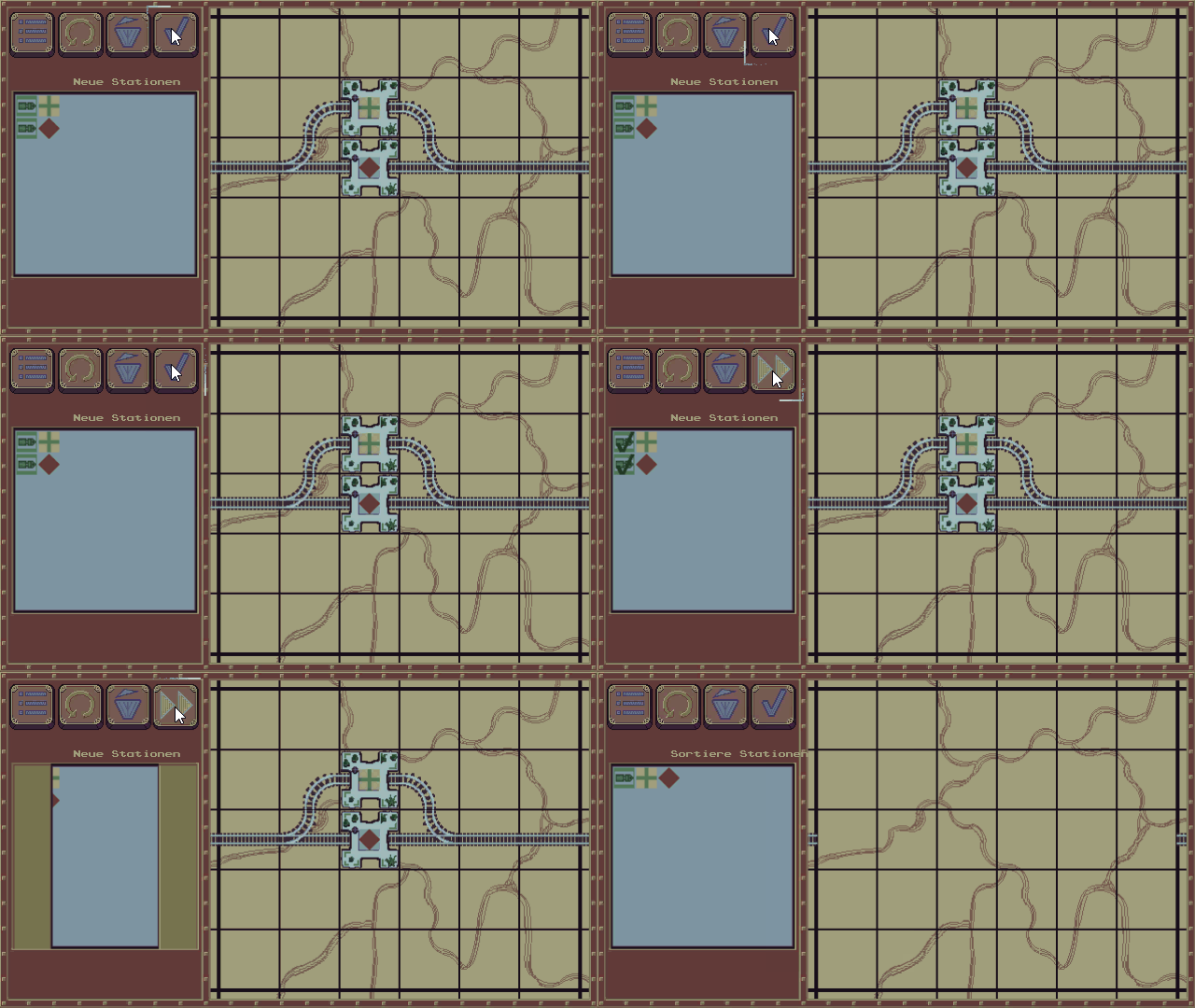
    LevelLoaderLid
    The Level Loader now looks a bit more interesting. I will polish the sprites later.

    So the animator for the request area is basically waiting for the next level button to fire. I moved the triggers around, as now, the level loader has to wait for the lid to close. This is all really nice, because in the meantime I could remove some of the dependencies and replace them with the event system.


    As you can see, during the weekend I gave a little update on the buttons, frames and the background. I am happy with the look of the buttons. It is going into the right direction. And it confirms what was written in some of the art blogs I read during the last weeks: its better to stick to a smaller palette and polish it. It will still look amazing.


    Deciding what to do about the trains

    In the afternoon I wanted to start working on the animation of the trains. “Wanted” is the right word. It was a little loud at home and I could hardly concentrate on the matter.

    At first I tried coding the thing, which did not work at all. There is some code needed, and I kinda did a start on that: I will need to hand over the train routes to the animation, and there is at least a data structure now.

    However coding the thing as a animation with the train sliding across the tile was not really working.

    So I switched back to the Animator Framework, that I used in the morning. This did not work at first, since I could not add components to the animation (i.e. Sprites, or the transformation matrices of the object).

    Growing more and more frustrated, I switched again to coding…

    Then another solution, with fixed sprite animations (similar to the lid in the morning) came to my mind. I opened Pyxel Edit and thought about the number of sprites I would have to paint… and got even more frustated…

    a futile approach…

    So I was happy when my brother and his wife came to pick up their children, that silence was again on the horizon – and I happily put away my laptop for a chat.

    And ohh boy. That worked wonders. I was refreshed and determined to find a valid solution for the animation today.

    So after trying out the game objects and the animations, I finally got one with the transform property into my scene. So I finished the initial version of the straight line animation but I did not really understand how to get a second one.

    The crucial piece of information that I was missing was, that needed a new game object, and could not reuse my existing train game object to build a second animation. In the end, three animations go to the same state machine, so why is that?!? :confused: So I made two more trains…


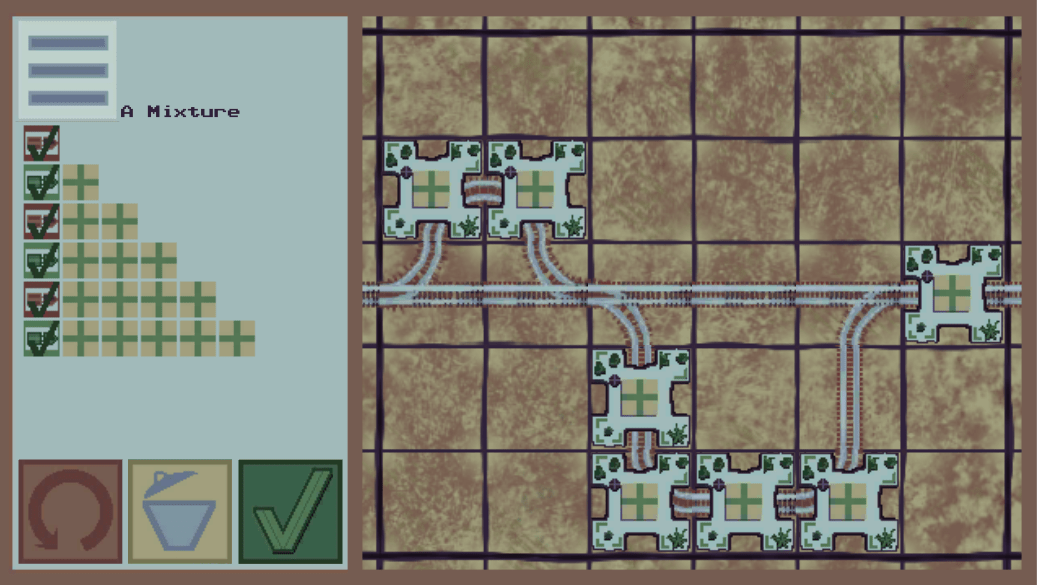
    I mean. I am not done with the animations, BUT: I am farther than I was before. So I have the basic three movements: straight, left turn, right turn. With those, I can update the transform rotation and position of the object tomorrow after an animation is done and start the next one on the planned route.
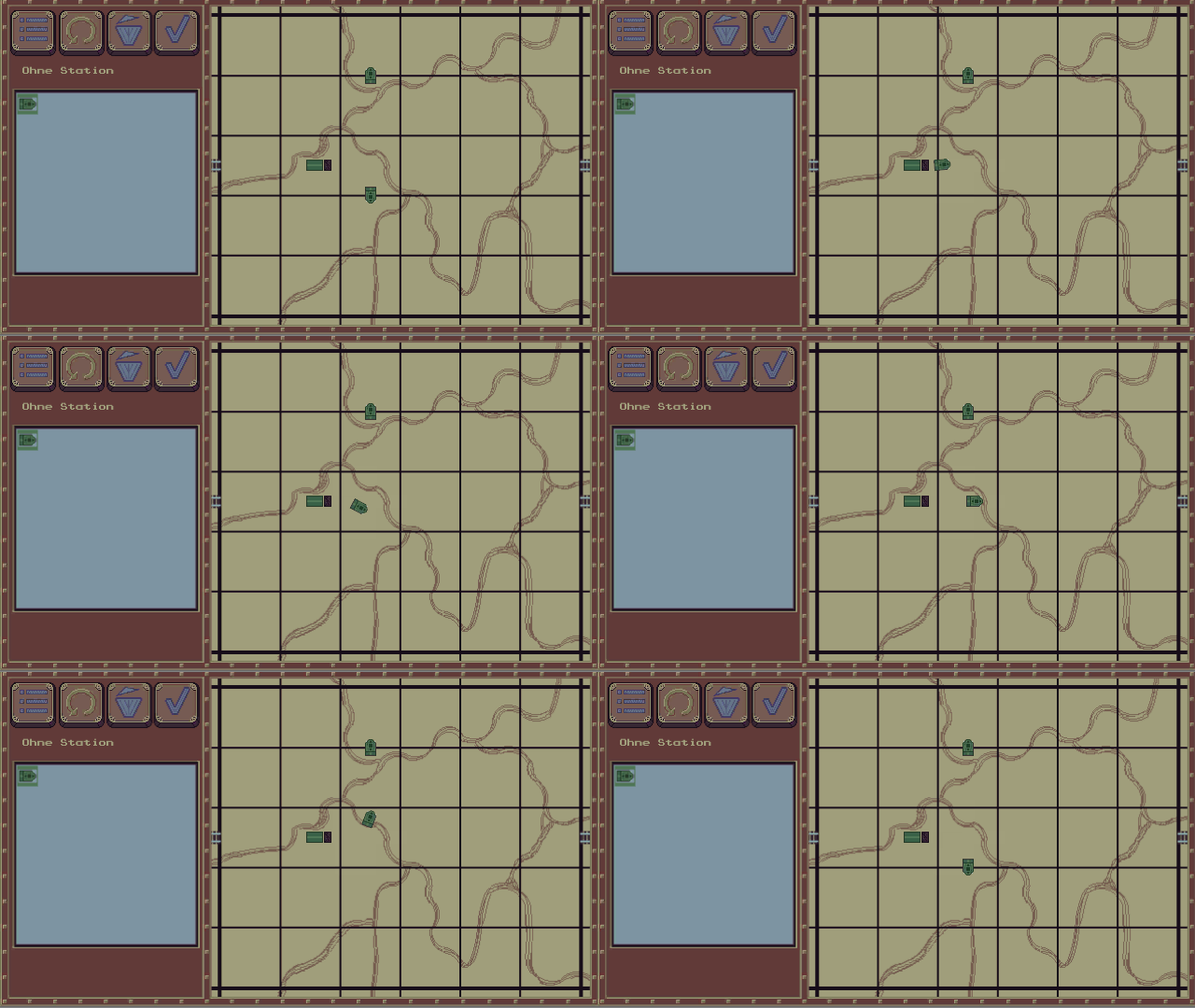
    animatedTrain
    trains riding through the dirt

    ¶¶¶¶¶

    ¶¶¶¶¶

    ¶¶¶¶¶

    ¶¶¶¶¶

    ¶¶¶¶¶

  • The good:

    Yesterday I finished off my prototype. I was really surprised and happy that installing it onto my phone was a quick and easy task. The Unity Android setup contained everything that I needed to get my app running.

    The bad:

    Of course the day did not go by without any problems.

    Unbenannt
    The loaded game for the first time

    So I started the game up for the first time. And the level did not load. Admittedly I almost expected this, since the levels and localization are stored in json and text files, and accessing them on a different OS would surely be needed some extra care.

    After that I could finally show it to random people such as my sister and brother.

    And it was quite interesting. The way they played the game was different from what I expected. I saw them provoking a lot more errors in the UI, that I did: The game laid different tracks then the players intended, because they swiped to fast over the grid. I was relying on the update routine to update the tile before the user goes over to the neighbouring tile. This is not sufficient for a quick swipe, leading to placed curve tiles or no tiles instead of straights. Thats a fine learning. As a dev, you tend to get blind to the shortcomings of the UI, and ignore them, because you need to do something else first. And then you dont realized them anymore at all… so thats something I learned.

    bug.PNG

    Of course they found bugs as well. Here is a level and a solution that should have worked. But it didn’t.. sad story. The problem here was, that the right tile acted as a small loop, letting the trains reach the station again and again. Loops are in general allowed, and even encouraged, but they should exist as real rail loops, and not as a glitch in the Matrix.

    And the ugly:

    Well the evening got closer, and I wanted to replace some of the grafics (the rails) with newer versions. I saw the game has a wooping 45 MB size already, and most of my sprites till then were single files. With the intent to reduce space requirements and increase asset maintainability, I wanted to move them into a single file. Not a good idea on a Friday evening. Something broke somewhere, after I deleted the old files and I could not place tiles anymore on the grid. At least they were not visible. But it was not that the sprites were missing. Upon inspection, everything seemed to be fine. Everything except for the Tile matrix, that was now never initialized correctly. Dont ask me why it worked before. So I rewrote part of my code and imported the assets again in the morning, and now it works again. It just took my Saturday morning. But thats ok I guess…


    ¶¶¶¶¶

    ¶¶¶¶¶

    ¶¶¶¶¶

    ¶¶¶¶¶

    ¶¶¶¶¶

  • Did you think I would not pull it off? Pah! I present to you (with a little pride):

    showvalidation.gif

    Apart from minor tweaks here and there, coding this took most of my time today.

    After lunch I panicked a little bit, because the end was not yet in sight, but then it went faster then expected.. until I needed to wire the UI against plumbing…

    A large bump in the road was the question of how I would get the level data to the object controlling the graph?

    I started using Unitys built in Event System for some of the things yesterday, and quickly learned there is not even a standard Event Manager. So I built one myself.

    Now thats all great as long as you only want send out a ping. But lifting that up one notch to sending a Object did not work out right away, and I did not want to waste time doing that. So I did what I needed to keep my commitment, and wired the components against each other manually. I guess in a larger project this would not be desireable, but for me and the size I am going for, I hope to come out just fine with a simple system, and a little hardwired stuff here or there.


    falsification.gif
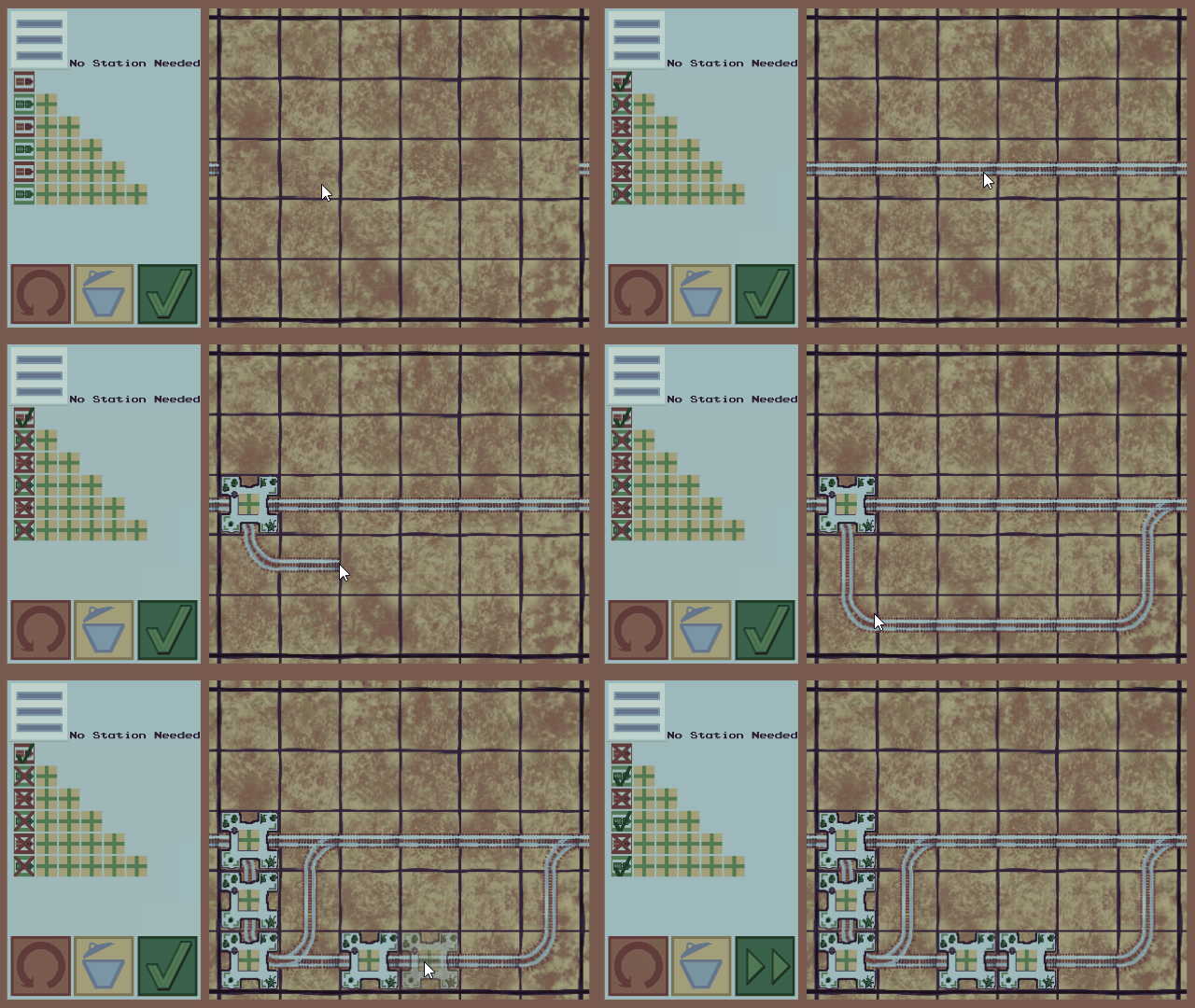
    A level with disallowed trains.

    So.. the first feedback for the given solution is there: the user can see, if the train comes into the goal with the requested stations or not.

    I am not sure about the icons around that yet. For the disallowed trains, do I want a “green Check”, when it would be possible for a train to make these stops, or do I want the “red crossed” icon then? And the other way around.

    What do you think?

    ¶¶¶¶¶

    ¶¶¶¶¶

    ¶¶¶¶¶

    ¶¶¶¶¶

    ¶¶¶¶¶

  • My Sprint ends on Friday, that leaves me two more days to finish the first Milestone: A…

    Playable Prototype

    with the following things:

    • tutorial
      • levels are played one after the other
    • input is complete
      • user can lay tracks
      • user can press validate
      • user can jump between the levels
    • validation is complete
    • validation works
    • user gets feedback of the validation

    (more…)

    ¶¶¶¶¶

    ¶¶¶¶¶

    ¶¶¶¶¶

    ¶¶¶¶¶

    ¶¶¶¶¶

  • ·

    Today was a travelling day. Since I will get closer to the verification of the user solution soon, I needed to think a little about the rest of the UI, and where to put everything. So the train was a good time for that. In the current version I have 4 Buttons on the left side, that I think are essential:

    • Top Left: Hamburger Menu Icon to get into the menu dialogs
    • Top right: Reset the level
    • Bottom left: delete a tile
    • Bottom right: Checkmark Over to verification phase

    maybe I could also have another one to undo the last action, but space is already to tight…

    day3end
    upgraded UI with a working reset button.


    That leaves me with space for a 8×8 grid of 24×24 pixel squares for the task area. I am not yet sure if that works out or is too small, but I am eager to find out in the next days.

    tasks and control
    Looks a little too crowded now. What do you think? Note that the levels will not always fill the full 8×8 grid.

    Programming wise not much has happened today. I only managed to integrate the reset button. The board is actually a Unity Tilemap, and I extended the TileBase with a custom RailTile. RailTiles have link to a Building, which is handling the click event and everything. I am not sure if it was a wise desision to do it like that and not simply add another Grid on top, but I will fare forward. It seems easier to get the data I need for the graph that way.

    Graphical Style

    So now the hard question. Is 16 colors enough for the whole screen? Can it be made interesting without looking to bad? I like the appeal of the pixel art that was made with this palette (see for yourself https://twitter.com/hashtag/steamlords?src=hash ) but I feel like I lack the skill to make it look nice. There is definitively some polishing to be done.. but not now.

    ¶¶¶¶¶

    ¶¶¶¶¶

    ¶¶¶¶¶

    ¶¶¶¶¶

    ¶¶¶¶¶

  • Wow. I am really happy today.

    My wife went for a conference for one and a half weeks (which is NOT why i am happy 🙂 ) but I will visit the rest of my family for most of that time from tomorrow onwards.

    I hope to get inspiration for the coming weeks and help out here and there whenever I am not working on the project.
    That is one good reason to be happy, but the other one is that I feel I made some nice progress today.

    Planning the project

    After I brought Dani to her train, I starting planning and setting milestones for the upcoming weeks. I want to follow short iterations as I really enjoyed working with agile methodologies, and want to continue that as much as I can even alone.
    As mentioned above, I plan to not from my home office desk, but also work from other places and I am frankly not a paper guy – at least not for something I want to remember. My project is hosted on Gitlab as a private repository – there is a free plan for hosting even private projects, in contrary to GitHub for example.
    Aaaand it also comes with some project management capabilities in the free version :o. Kudos for that!
    So after I planned my milestones with some sketch of their content as well as the first tasks for the first milestone, I started to enter that into my Gitlab.
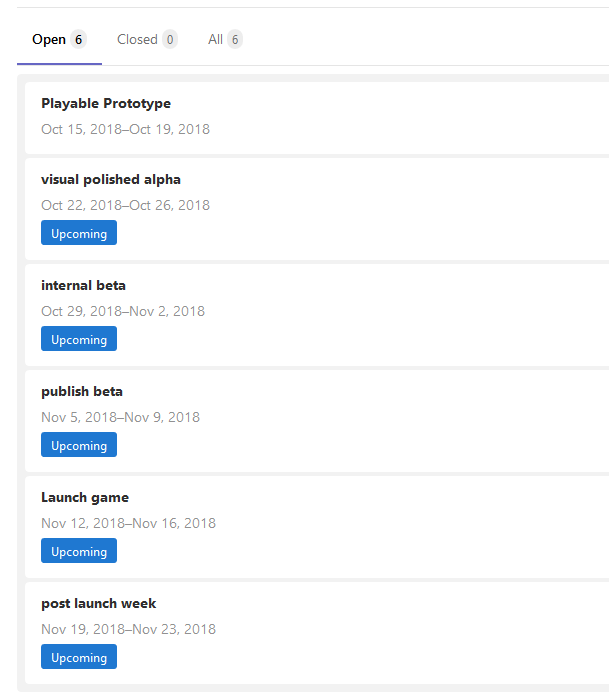
    So my plan is to launch in the app store Mid November and until then have several stages of polishment. After that I want to add some features that are not necessary, but that I want to have: Like ways to compare yourself with the world (of the other 5 people, that played the game).
    GitlabMilestones
    Here you can see my milestones. Its 6 weeks Mondays – Fridays. Probably too ambitious.

    Starting to code

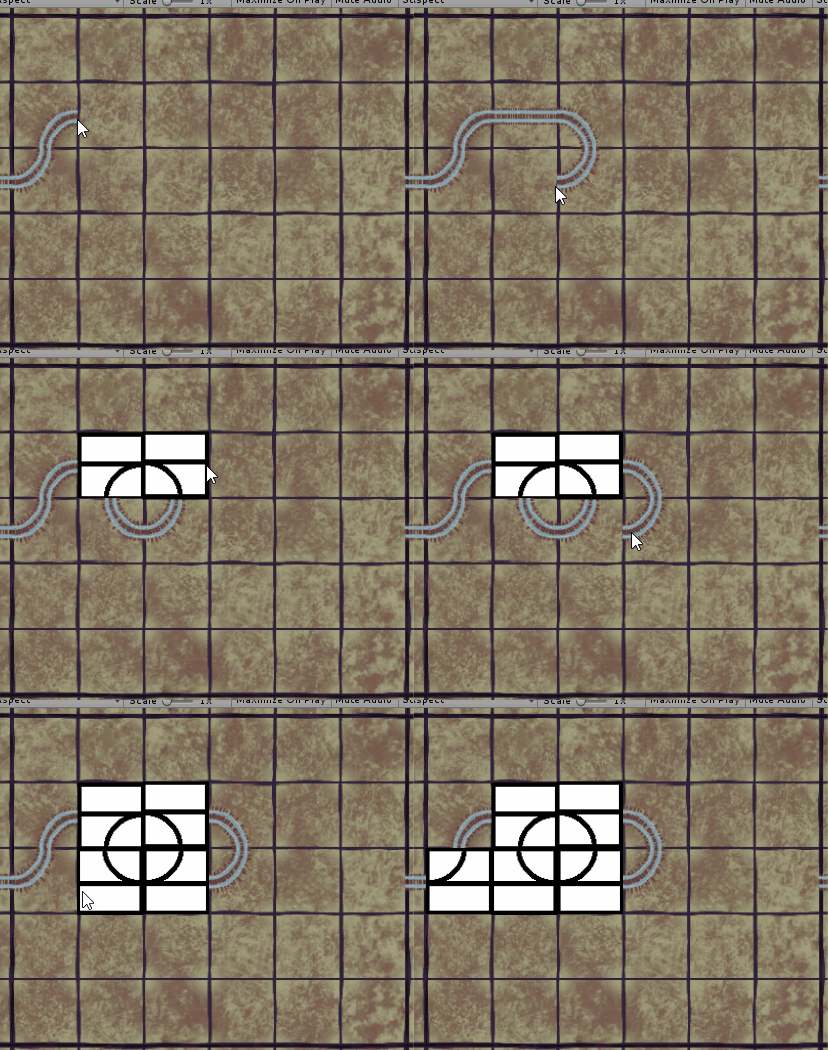
    One of the first things that needed doing, was the possibility for the user build switches. Initially I want to restrict the available tiles to straights, curves and “simple switches”.

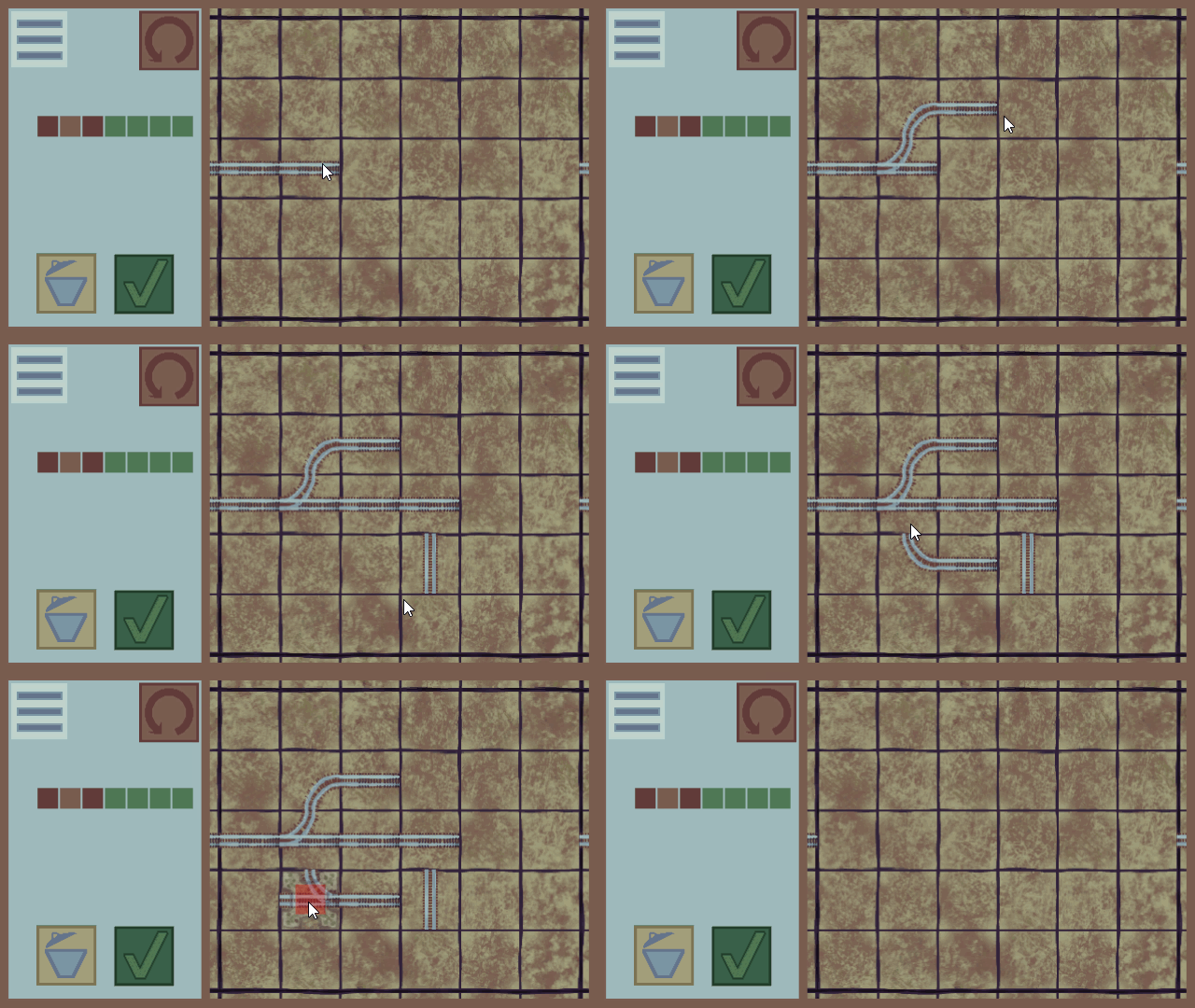
    The last version of the code was very brute forcey, but I came up with a better way, which will allow me to easily add further tiles: each Tile gets a number depending on the sides that are connected. And each possible edge sets a bit of that number. Its not rocket science, but it helps 🙂

    firstSwitches
    This system was in place before I went for lunch. You can still see the white tiles.


    The Afternoon

    In the afternoon, I added the simple switches as pictures, just to get it into a presentable shape. I am happy with how it worked out. I am working with Gimp, and use the #steamlords palette from “Slynyrd” @rayslynyrd https://twitter.com/rayslynyrd but it is current “extended” it with gimps color gradient. I am not yet sure about the final style, and if I might not need more colors for the ground, rails and wooden planks. Also I am not sure, I can make the city tile addons (see below) visually distinct, but I will see that in the next days.

    buildingsandsomeswitches
    Here is with updated switches and a first version of the cities.

    Cities!

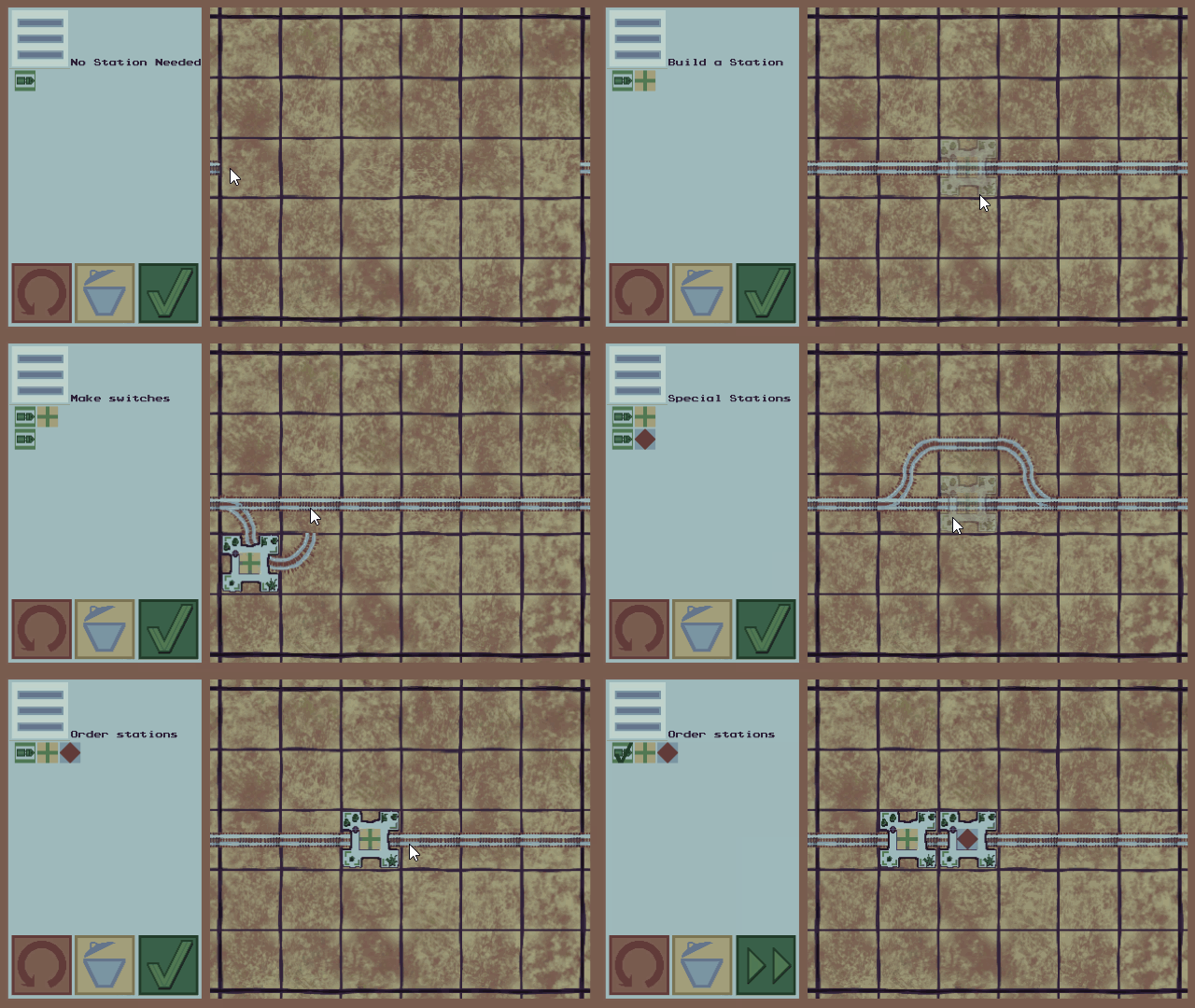
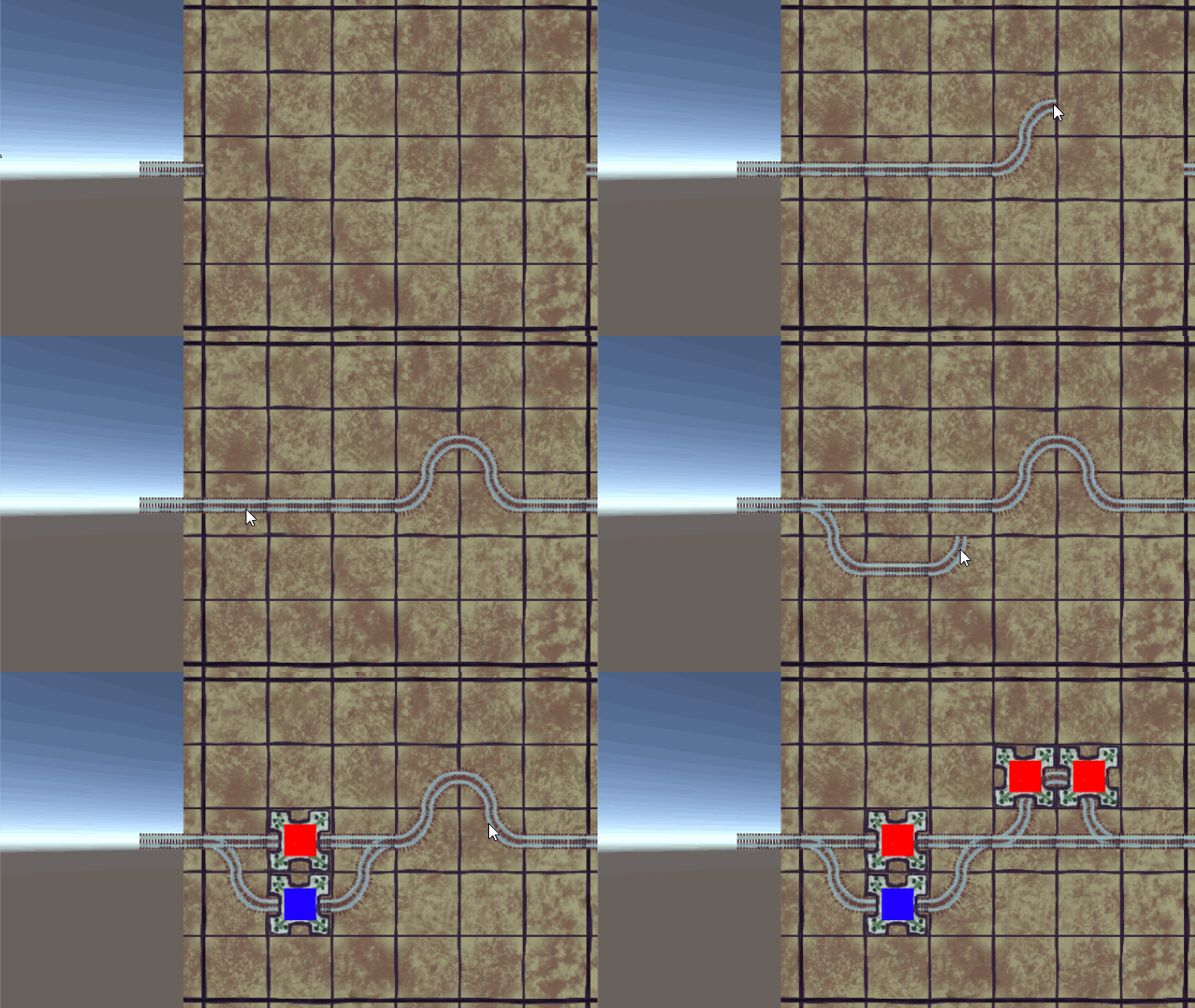
    The last thing I managed to build today, is a system to add Cities to the board. In my initial design, cities were only allowed in straight tiles, and were not even cities but depots.

    The games underlying idea is making something fun with finite automatons. Initially the trains would pass depots and attach cars, but then a problem comes, once the trains would get to long. Also, I would need to pixel a depot with a car as well as a switch that leads to the depot, all on the same tile. To little space on a tile, especially for mobile.

    So I switched to cities, and trains will now have to visit cities in a certain order, which is essentially the same, but less of an headache for the length of the train – I can now have a fixed train running around the board.

    In the current concept, the city should be made invisible when the user hovers over it, since it might block the underlying rail structure. It took me quite to set the alpha value of the color:  In the Unity Editor you can set the color values to something between 0 .. 255. And that is what I did in my script:

    Color half = new Color (255,255,255,128);  //sounds right for a RGBA color value

    Well… not so fast. The thing did not get transparent at all. I was scratching my head. Trying the to change getComponent<spriteRenderer>().material.color, which was even funnier, because the sprite was looking really bad afterwards…

    As always, in the end its debugging to the rescue:

    ColorCode

    The values need to be floats between 0 and 1. 128 (or any other number > 1) is capped at 1 -> no transparency. I am not sure about the whole system, but maybe a warning would be nice?

    Here is the final version of the stations for today.

    day2end
    The days work: cities get transparent when hovering.

    What do you think? Could this be fun? Is the 18 colors steamlords palette enough for desert, rails, and cities and the whole UI?


    ¶¶¶¶¶

    ¶¶¶¶¶

    ¶¶¶¶¶

    ¶¶¶¶¶

    ¶¶¶¶¶

  • Hey.

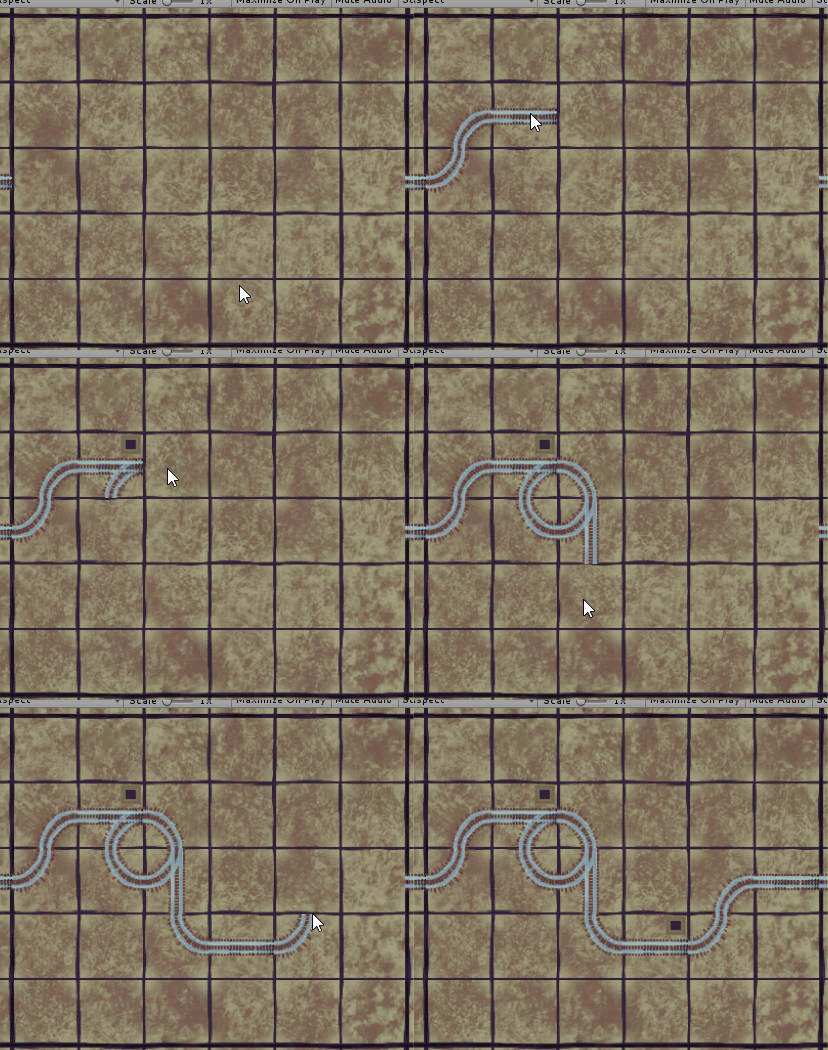
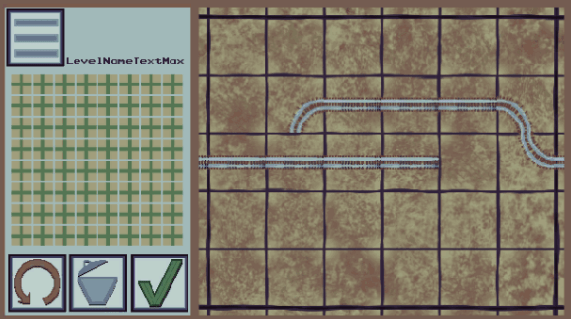
    This is my new blog and you are reading my first post. A while ago, I never thought I would write something public, but as someone who wants to start learning more about games, development, technologies, art, .. and just about anything, it seemed to me that there was no other place to work, than inside my own office.

    So besides all things, that need to change, after you quit a paid job, I finally started doing what I want to do: working on my own first App: A mobile game about trains.

    In this game your task will be to setup the rails and train stations to let trains travel to stations in orders given by the level.
    Naturally I want a system, that lets the user add the rails in an easy way. Currently I only have curves and straight tiles, but the rest will come soon.

    Later on, the user will be able to build station onto the tiles.

    ¶¶¶¶¶

    ¶¶¶¶¶

    ¶¶¶¶¶

    ¶¶¶¶¶

    ¶¶¶¶¶